Creators Guide
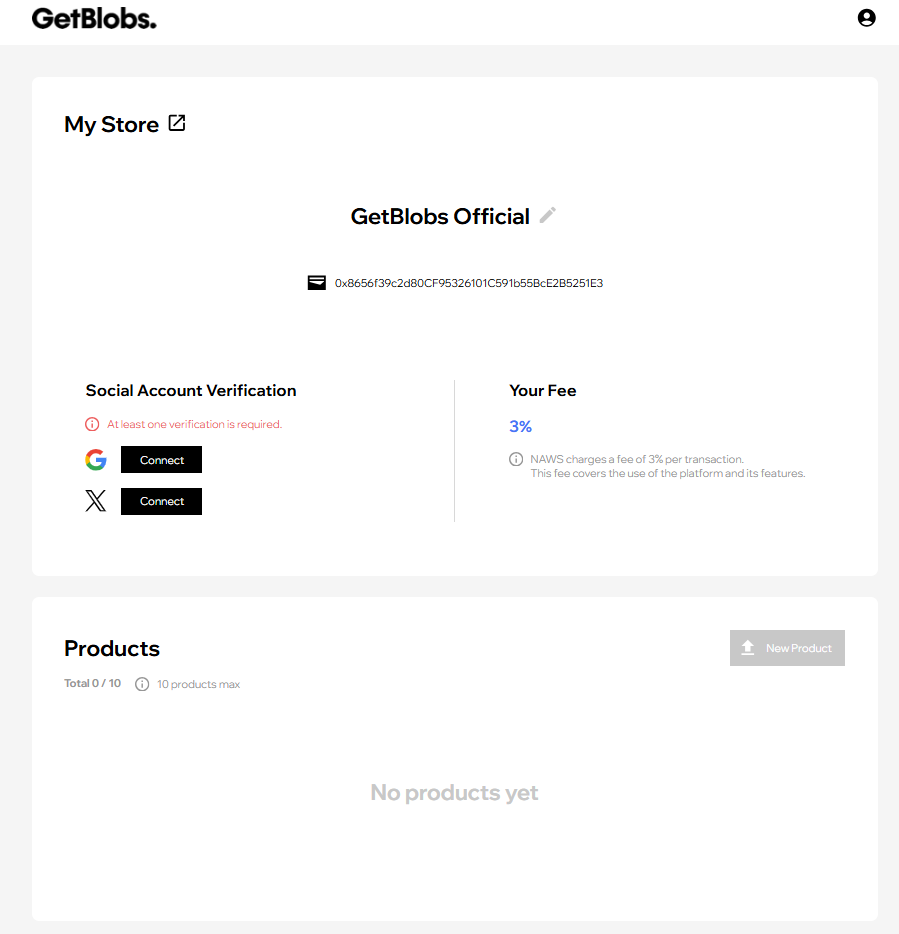
Step 1. Login and Name Your Store
Log in to your account. You’ll see the My Store page where you can set your store name and connect a social account for verification.
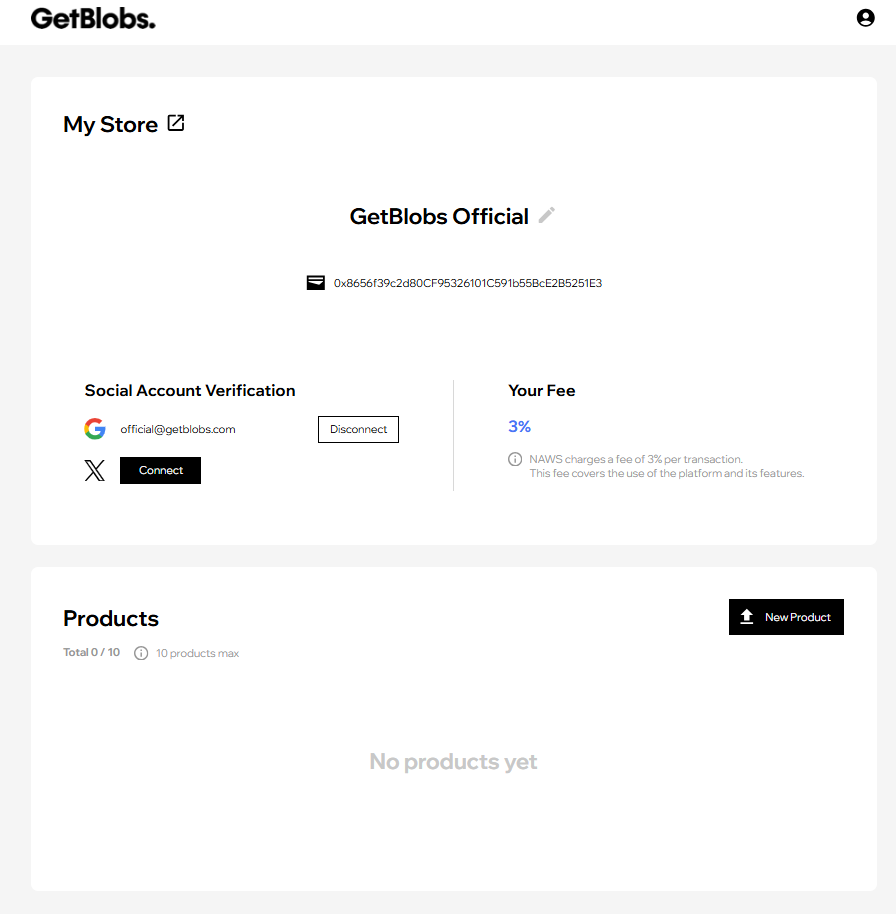
Step 2. Connect Social Account
Connect your Google or X account to verify your identity. Once connected, the “New Product” button becomes active.
Step 3. Upload Your First Blob
Click “New Product” to create your first listing.
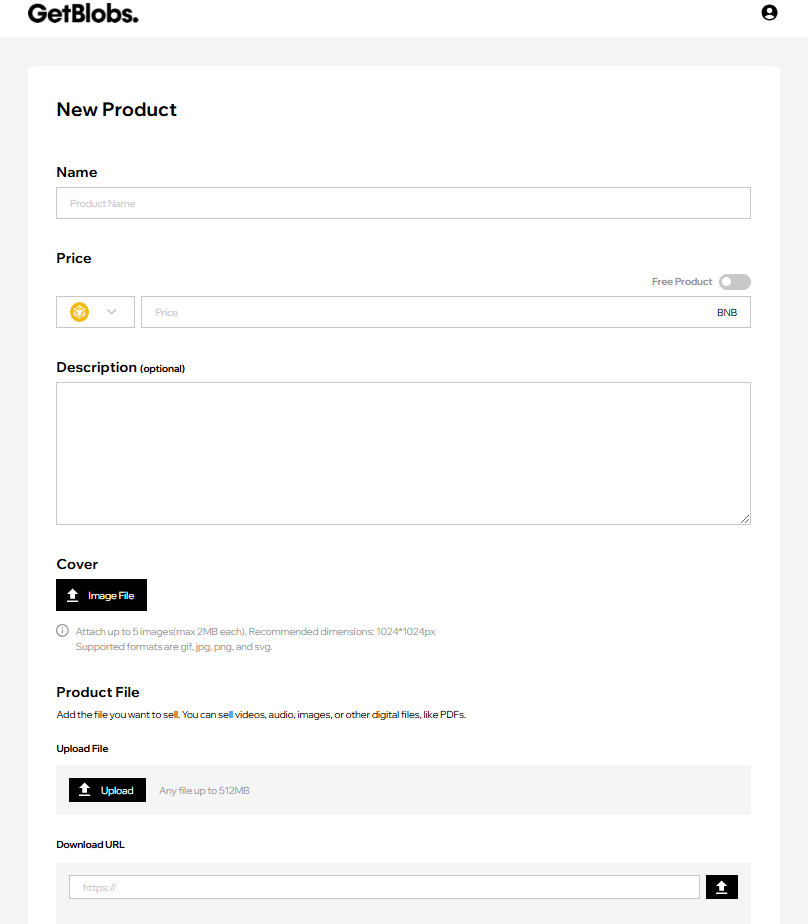
- Choose a name and set the price for your Blob.
- Write a description that highlights what makes your Blob special.
- Upload a cover image (up to 5 images, max 2MB each, 1024×1024px recommended).
- Upload your product file (up to 512MB) or provide a download URL.
- Publish your Blob and start earning!